Building Plotta Studio: A Holiday Experiment with Claude Code
A few years ago I bought an AxiDraw pen plotter. The machine itself is beautiful: precise, quiet, and capable of producing drawings with a quality that feels unmistakably handmade. We even used it once to plot Christmas cards for Factorial.
But then it mostly gathered dust.
The problem was never the hardware. It was the workflow. The official tooling uses Python and JavaScript, languages I am not fluent in. The typical process involves generating SVGs in a browser, then using Inkscape to send them to the plotter. For someone with a background in computational design and creative coding, used to the immediacy of writing C++ with OpenGL, this felt clunky. I wanted to write code that directly controlled the plotter, see my changes in real-time, and iterate quickly.
Starting from scratch, though, seemed like too much work. So the AxiDraw sat there, waiting.
A sick week and a spark
Christmas 2025 found me sick and somewhat bored. I had been using Claude Code successfully on other projects at work and was curious how far it could go on something more personal. The idea resurfaced: what if I finally built the plotting tool I actually wanted to use?
The timing was unusual. I was stuck in bed with my iPad as my main interface. But Claude Code (and later Open Code) made something possible that would have been unthinkable before: I could describe what I wanted, read the generated code on GitHub through my browser, and build up a substantial codebase without running a single test.
This was pair programming from a sickbed, writing Rust code I could not compile.
The first plot
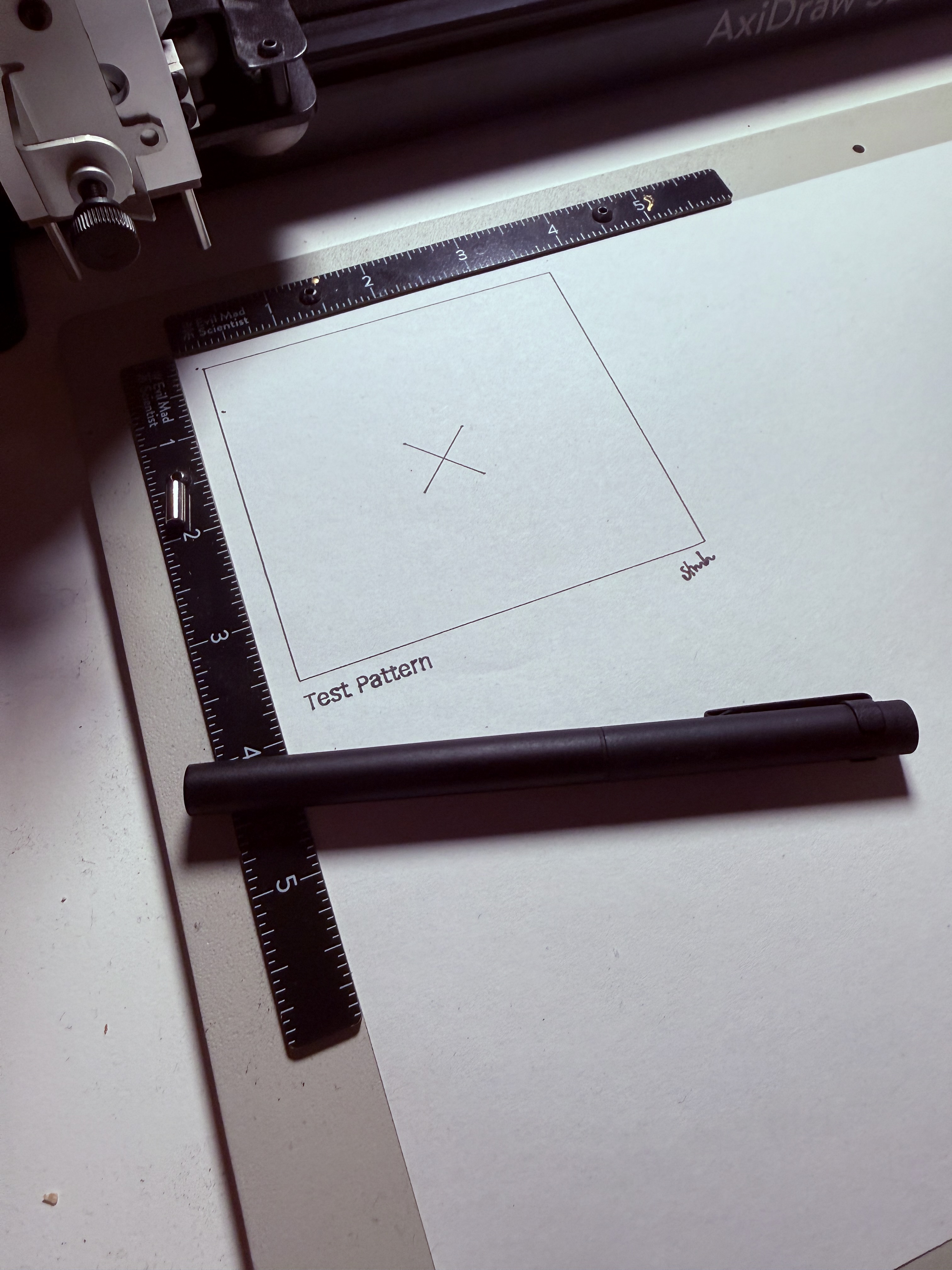
After a few days of back-and-forth with Claude, I had enough code to attempt a real plot. The moment when the pen first touched paper and drew a clean rectangle was genuinely exciting. It worked. The basic architecture was sound.
But then came the bugs.
From unhealthy noises to motion planning
My first implementation was naive: send coordinates, draw lines, repeat. The plotter worked, but it made concerning mechanical noises when drawing curves. Sharp direction changes at full speed were stressing the stepper motors.
This sent me down a rabbit hole. I pointed Claude to other AxiDraw implementations: the official Python driver, the EBB command documentation, and various open source projects. What emerged was proper motion planning: acceleration curves, velocity limits at corners, and smooth interpolation. The plotter became quiet and graceful.
But motion planning brought its own bugs. The mathematics of trapezoidal velocity profiles and junction deviation are subtle. Get them wrong, and strokes drift, corners overshoot, or the plotter loses track of where it is.
The drift problem
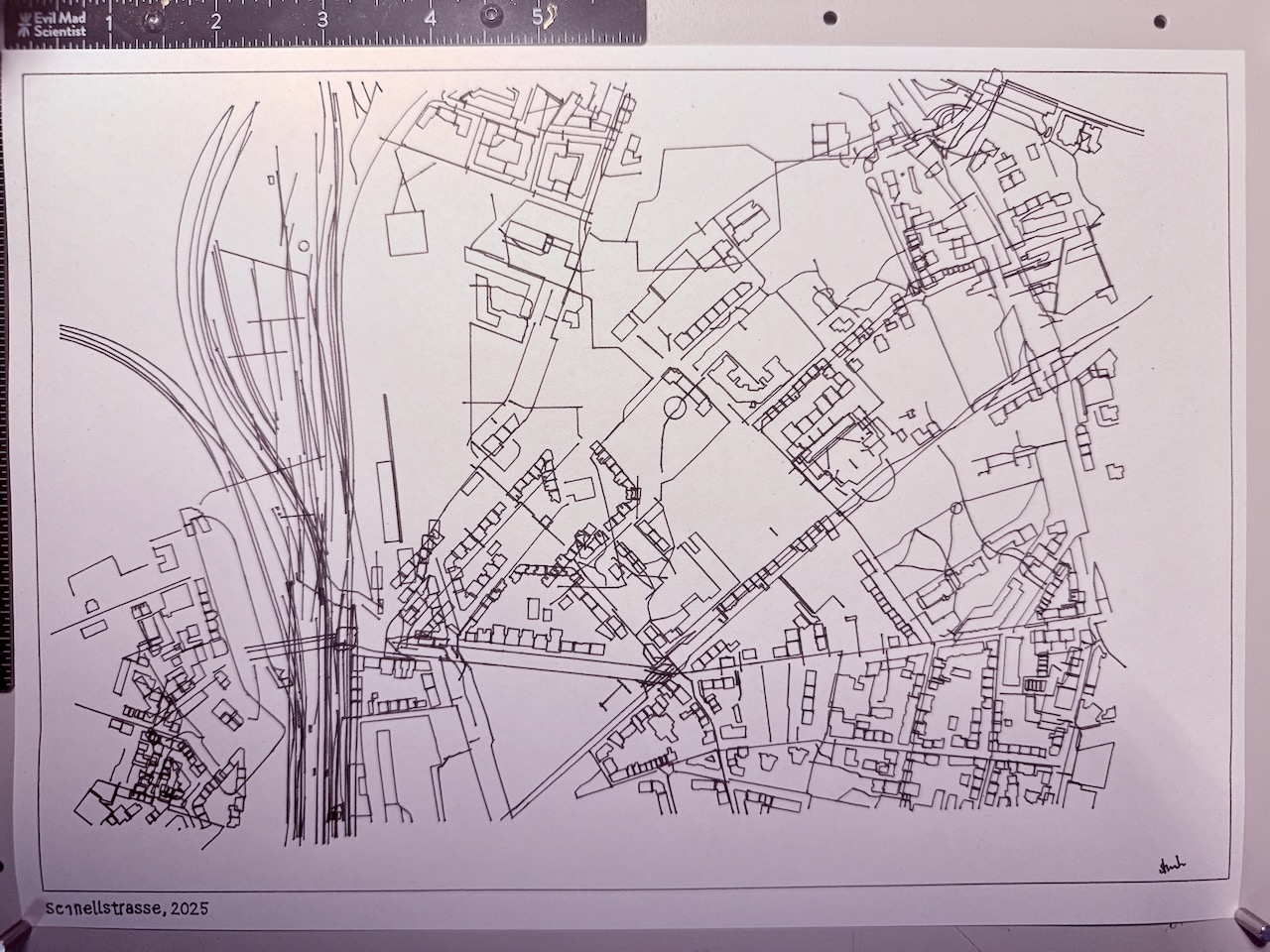
One of the more frustrating issues was position drift. The plotter uses relative motion commands: move left 10mm, move down 5mm, and so on. My software was calculating distances differently than the plotter expected, and these small errors accumulated. After a few hundred strokes, drawings would overlap and shift.
I would end a day thinking everything worked, only to discover a new bug the next morning. This cycle repeated several times.
On December 31st, the fix landed: fix: track actual stepper position to prevent plotter drift. The plotter finally drew exactly what I asked it to.
What got built
Over about 12 days, plotta-studio grew to nearly 12,000 lines of Rust, organized into several crates:
drawing-core provides primitives, transforms, and a scene graph. It uses kurbo for 2D geometry, which Claude helped migrate to after researching alternatives.
drawing-text handles single-line fonts, essential for pen plotting where you want strokes rather than filled shapes. It supports Hershey fonts (classic public domain stroke fonts), VSF (a JSON format with bezier support), and SVG fonts.
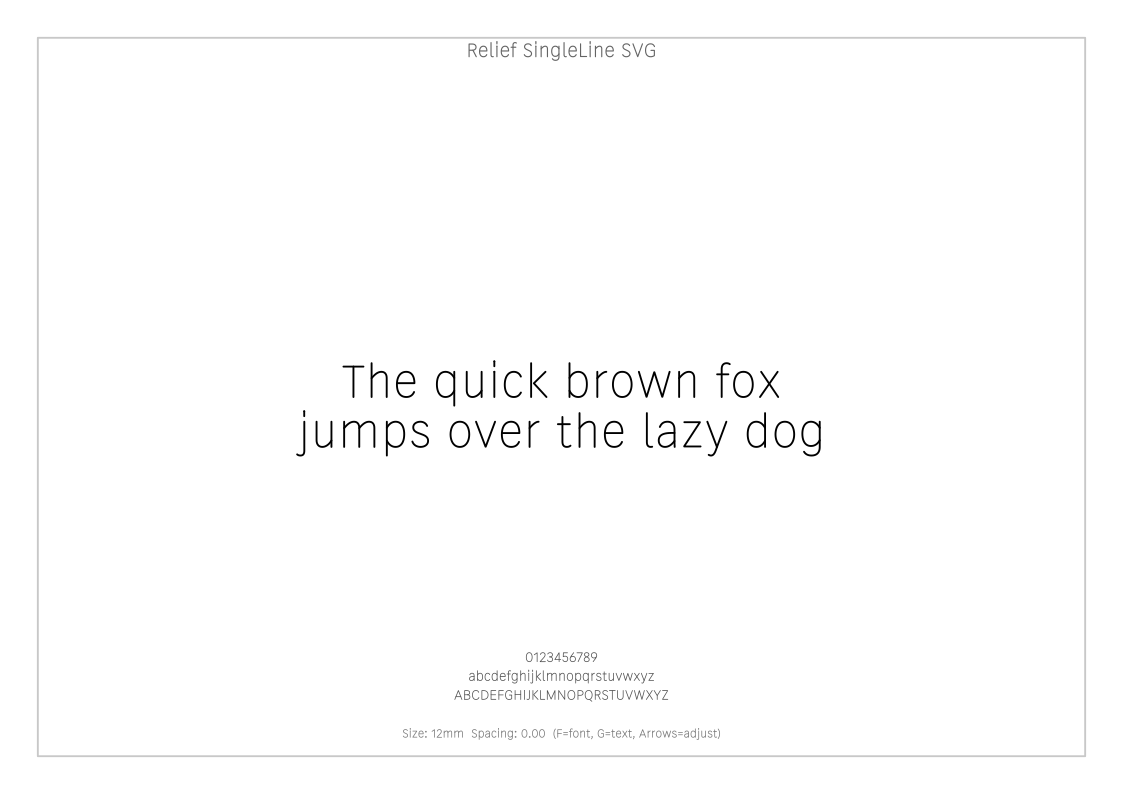
drawing-svg handles SVG import and export. Import is necessarily lossy since SVG supports features that do not translate to pen plotting, but path data comes through cleanly.
drawing-plotter contains the AxiDraw control code and path optimization. It includes a greedy nearest-neighbor algorithm to minimize pen-up travel, and later gained R*-tree spatial indexing for an 83x speedup on complex drawings.
drawing-utils provides helpers like hatching (parallel lines for filling shapes) and frames with titles.
sketch-runner ties everything together with a window, GPU rendering via Vello, and input handling.
Rust’s crate ecosystem was invaluable. For most problems I encountered, there were existing implementations to learn from or libraries to use directly: kurbo for 2D geometry, serialport for hardware communication, vello for GPU rendering. The language’s emphasis on explicit dependencies made it easy to pull in well-tested code.
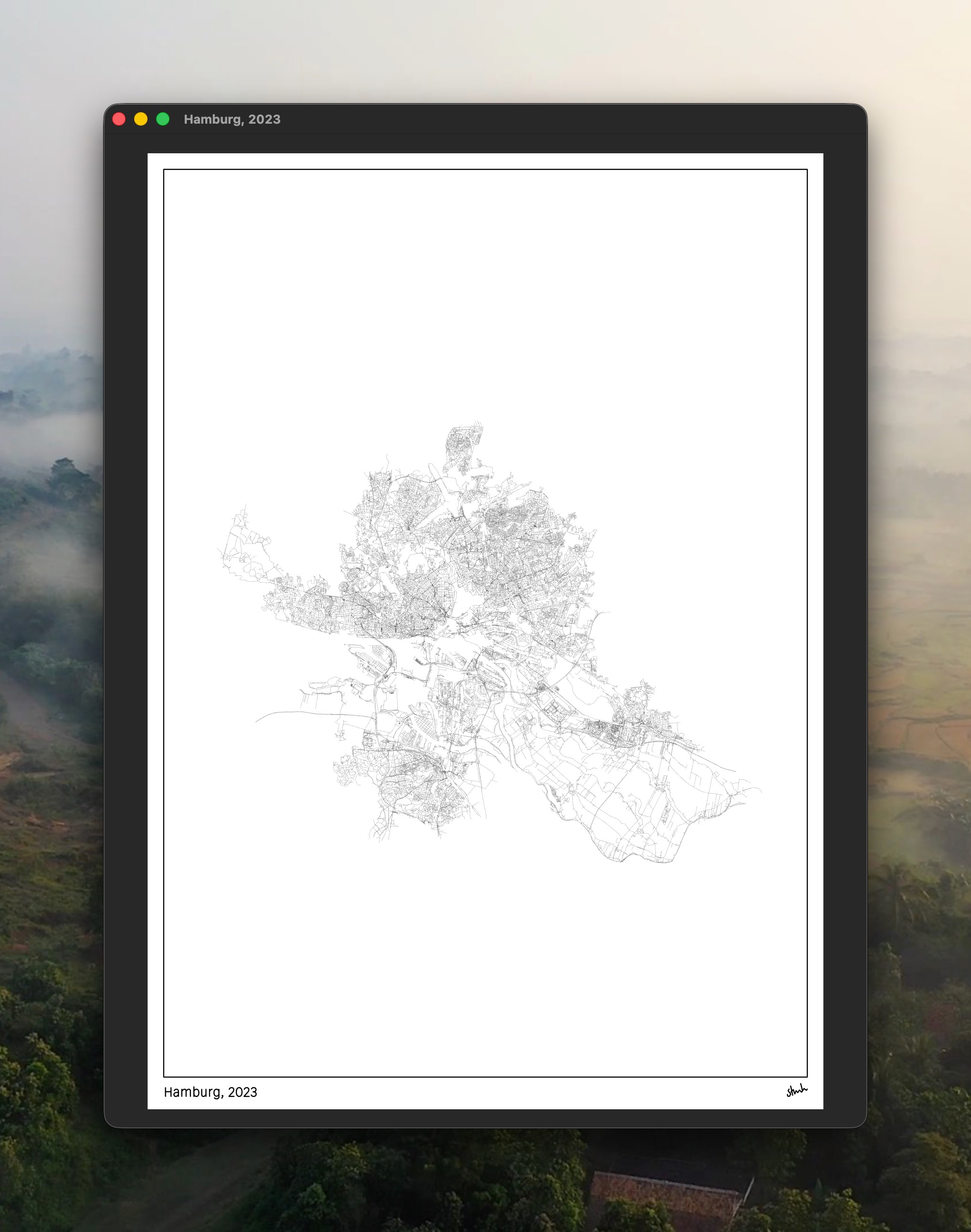
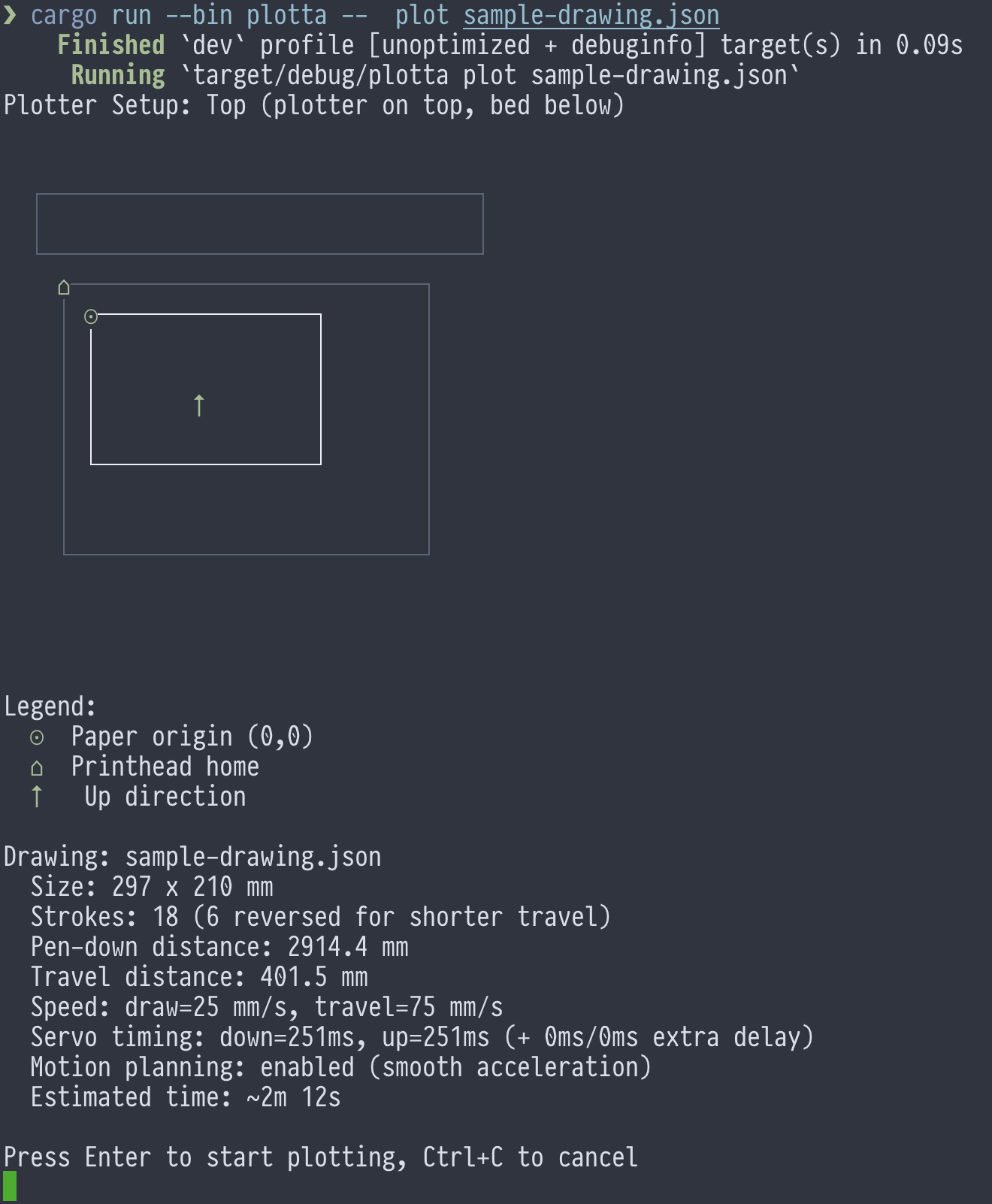
The CLI provides a nice preview before plotting, showing paper position, estimated time, and stroke statistics:
The collaboration
Looking at the git history, the project has about 110 commits. 17 are attributed to Claude directly (through automated PR workflows), but the reality is that most of my commits were also written by Claude. I was directing, reviewing, and testing; Claude was writing most of the actual code.
This worked surprisingly well for several reasons. Rust’s type system catches many errors at compile time, so code that compiles often works. The problem domain, 2D graphics and serial communication, is well-documented with existing implementations to reference. And I had enough background in computational design to know what I wanted and recognize when something was wrong.
One thing that helped enormously was unit tests. The codebase has comprehensive test coverage: clipping algorithms, affine transforms, path flattening, stroke optimization, motion planning, and font parsing all have dedicated test suites. When fixing one bug risked breaking something else, the tests caught regressions immediately. Claude was particularly good at generating test cases that covered edge conditions I would not have thought of.
The frustrating moments came when bugs only manifested on actual hardware. You cannot unit test whether a plotter drifts without a plotter. But even then, Claude could help diagnose issues by analyzing the motion planning code against known-working implementations.
Shifted perspectives
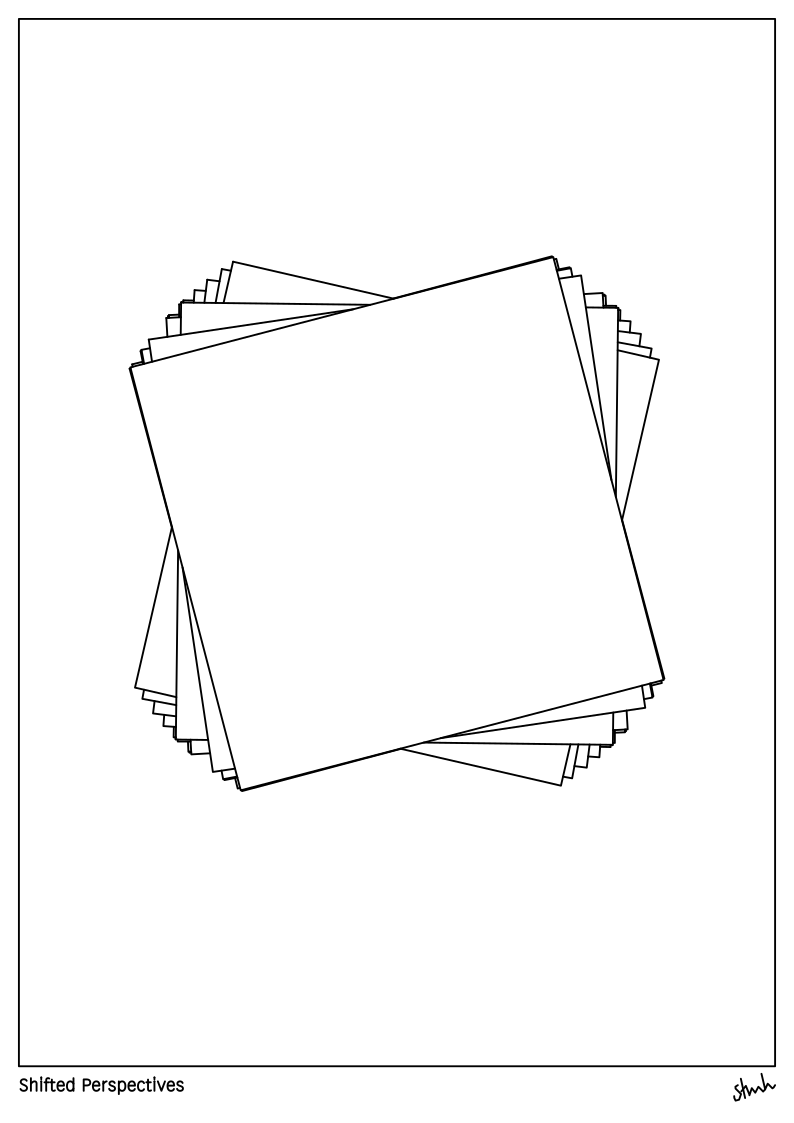
One feature I particularly enjoy is the clipping system. You can define arbitrary shapes and clip other elements to them. Combined with hatching, this enables drawings where lines only appear within certain regions. The shifted perspectives sketch above shows concentric rectangles, each slightly rotated, creating a spiraling perspective effect.
What comes next
I plan to create a drawing every week in 2026. The tool is finally at a point where the friction between idea and output is low enough to make this sustainable.
I am also considering open-sourcing plotta-studio. The pen plotting community is small but enthusiastic, and there is not much in the Rust ecosystem for this yet. If you have an AxiDraw gathering dust and prefer writing Rust to wrangling Inkscape, this might be useful to you.
The roadmap still has items: 2-opt path optimization, stroke reversal to minimize pen lifts, and a GUI for tweaking parameters without recompiling. But the core is solid. After years of the plotter sitting idle, it is finally doing what I bought it for.
Sometimes the right tool is the one you build yourself, especially when you have an AI that can help you build it from bed.